Chores
Go to Settings → Chores. Each chore has:
- A picture and a short name. Kids who can't read yet learn the chore by its picture.
- The kid it belongs to. Add the same chore to several kids at once.
- Days. A chore shows only on its days. Feed the dog every day, take out the bins on Thursday.
- Earns: 1, 2 or 3 stars. Give a bigger job more stars, like 2 stars for reading time.
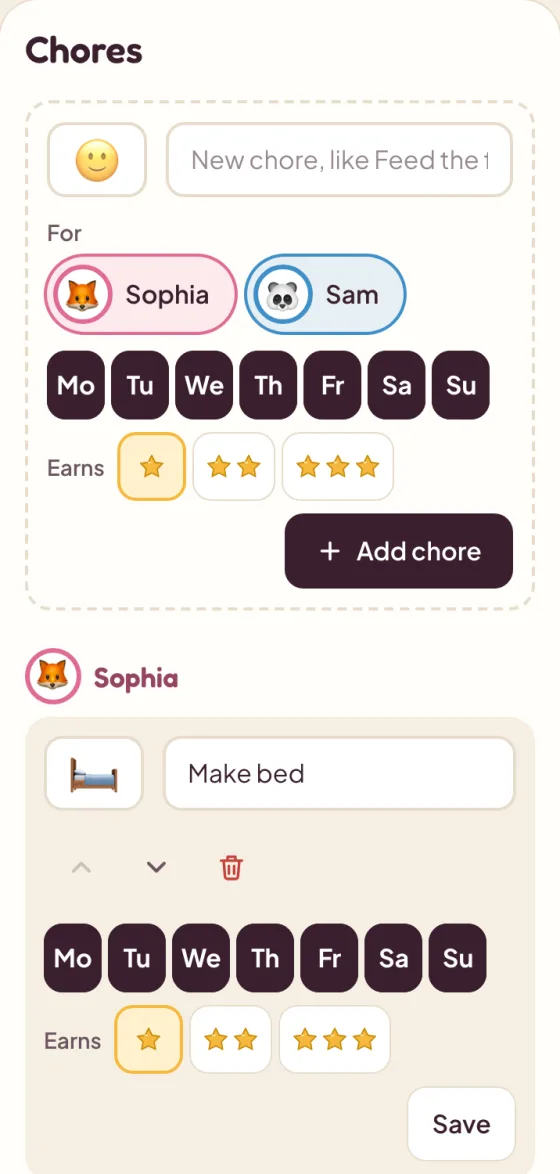
Start small: 3 or 4 chores per kid. Add more once the habit sticks.
Stars
One star is one coin on payday. A chore worth 2 stars shows two small stars in its corner, and two stars fly to the count when the kid collects it. If you change a chore's stars later, stars already earned keep the value they had.
The Shop
Go to Settings → Rewards. Add a picture, a name, and a price in coins. Ideas: a treat (5 coins), choosing the movie (12), a new book (25), a day out (60). Mix small and big, so there is always something to save for.
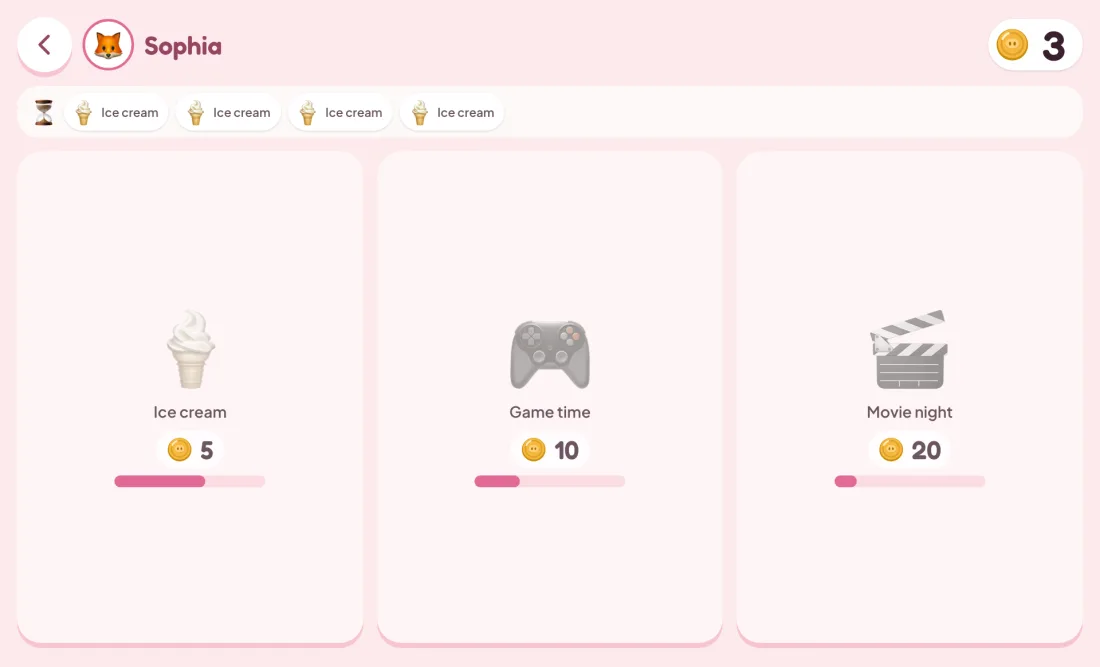
When a kid buys something, the coins come out of their pig and you see it under Rewards to give. See Approve chores and rewards.