1. A kid taps a chore
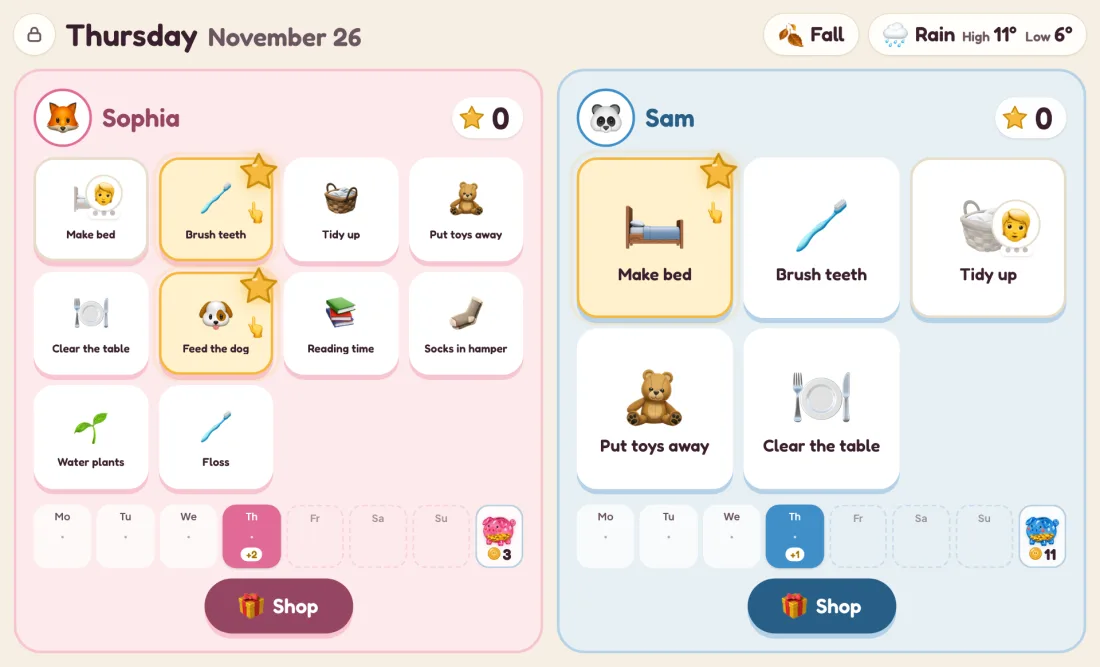
On the tablet, the chore lights up and shows a little grown-up face: it is waiting for you. Your phone buzzes if alerts are on.
2. You approve on your phone
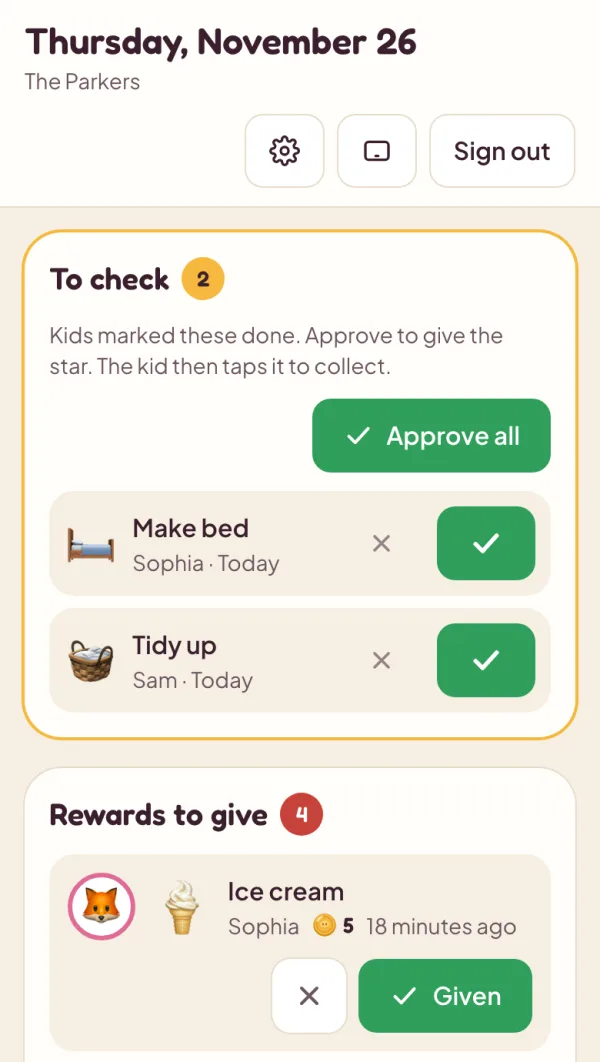
Open ChorePig. The To check list is at the top of your dashboard.
- Tap the green check to give the star.
- Tap the × if the chore was not done. The star goes away, and the kid can try again.
- Approve all gives every waiting star at once.
3. The kid collects the star
The star turns gold and bounces on the tablet. The kid taps it, and it flies to their star count. That tap is part of the fun: let them do it.
Prefer no approvals? Turn off Kids' stars need a parent OK in Settings → Household. Then a kid's tap gives the star at once.
Rewards to give
When a kid buys something in the Shop, it shows under Rewards to give. Hand it over, then tap Given. Tap × to cancel the purchase: the coins go back to the kid.
Fix a mistake
- Gave a star by mistake? On your dashboard, tap the star on that kid's chore row to remove it. Undo brings it back.
- Forgot to tap a chore for a kid? Tap the empty day on their chore row to give the star yourself.
- Missed one before payday? A chore still waiting after payday can be approved later. Its coins go straight into the pig.