Many families do not want to give a 5 or 7 year old a phone. Yet many chore apps start with "install this on your child's device." You have another choice: one shared screen that stays at home.
The problem with kid phones
A phone brings more than a chore chart. It brings messages, games, videos and ads. It also needs an account, a password and a plan. For a young child, that is a lot to manage for a simple job like "feed the dog."
The shared tablet idea
Put one tablet in a shared place, like the kitchen. Open a chore board on it. Every child uses the same screen. The parent uses their own phone to check and approve.
This setup has clear benefits:
- No child needs a phone, an email address or a password.
- The chart is public. Everyone sees whose turn it is.
- The screen stays in one room, so screen time stays low.
- A parent checks each chore before the child is rewarded.
Set it up in five steps
- Pick a tablet. An old one in a drawer is fine. Any recent Android tablet or iPad can open a web page.
- Pick a spot. A stand or a shelf near the kitchen table works well. Keep it plugged in.
- Turn on a guided mode if your tablet has one, so the screen stays on the chore board.
- Decide when the board is used: after school, before dinner, before bed.
- Agree on one rule: a chore counts only when a parent says so.
Keep it safe
- Choose a board that has no ads and no chat.
- Keep the parent controls behind a PIN that kids do not know.
- Type only a first name or nickname for each child. Never a full name.
- Check what the service keeps. A good one tells you in plain words.
Prefer a paper chart? It also needs no phone. The tablet only helps if you want the counting, the approvals and the reward loop to run themselves.
What about older siblings?
Many homes have a big kid with a phone and a small kid without one. A shared tablet still works. The older child uses the same board as the younger one. When they are ready for their own device, you can decide then. Nothing about the chart has to change.
You can also use the tablet for other family things, like the weather or a shared list. Just keep the chore board as the main screen, so the habit stays strong.
How ChorePig helps
ChorePig is built for exactly this. It runs in the browser on an Android tablet or an iPad. Kids tap chore pictures. You get an alert on your own phone and approve with one tap. Kids cannot give themselves stars.
There are no ads and no kid accounts. ChorePig keeps only what you type, such as a nickname and the chores. Read the privacy page for the full list.
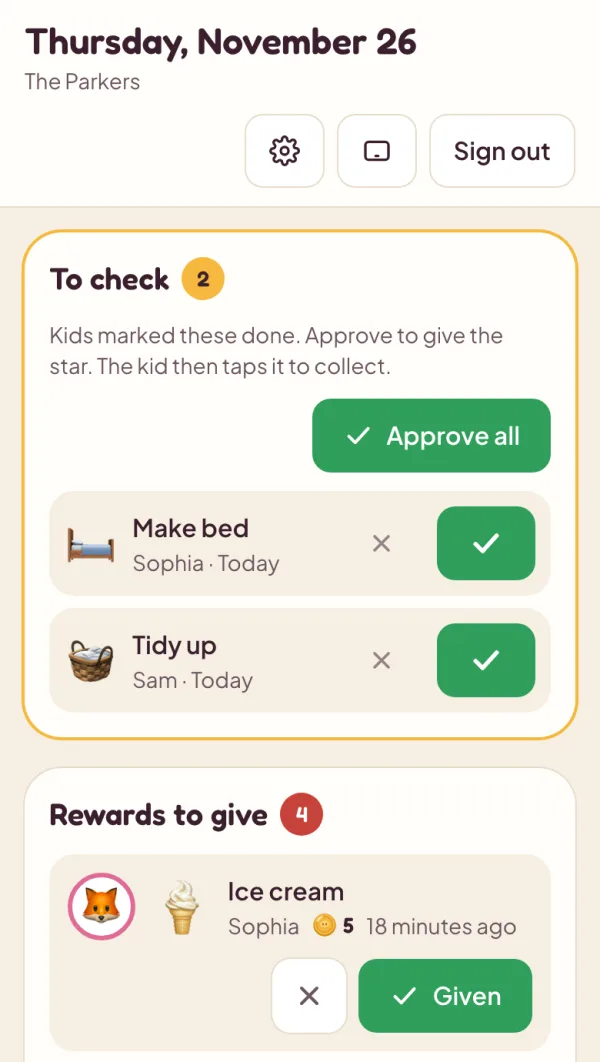
Start with Set up the kitchen tablet and Your phone and alerts. Ready to try it? Start free.